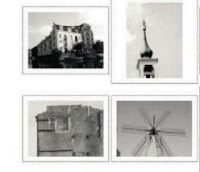
Photoshop CS5 removed the ability to create a web photo gallery directly from the Automate menu.
but you can still quickly make an HTML gallery of your images by installing a freely download able plug-in from Adobe, or by using Bridge, which comes free with Photoshop. HTML galleries are handy for quickly showing family and friends some of your images, or simply telling the world what you can do in Photoshop without having to learn
any coding or web design skills. The galleries that Photoshop produces are simple. but refined in their styling. The ones you can export from Bridge have more options.
1 Download plug-In set Download the additional CS5 plug-in set (which includes the Web Photo Gallery option) at
http://adobe.ly/hnOYfY (Mac) or http://adobe.ly/d40asH (PC). Put the CS5 Optional Automate Plug-ins folder into your Photoshop plug-ins folder. move the Web Photo Gallery presets folder to the Photoshop Presets folder, and then restart Photoshop. If you're running the Mac version. hit Cmd+l on the Photoshop application icon and then check
Open in 32-bit mode.
2 Make your gallery Open Photoshop and go to File>Automate>Web Photo Gallery.
Choose the folder containing your images in the Source Images options, and choose the style. or theme, you'd like to apply in the Styles drop-down menu. Choose a destination — which is where
Photoshop will put the HTML and associated files and folders (you just copy this to your web server).
3 Add titles and credits In the Options>General drop-down menu, you can pretty much leave things as they are.
With the Banner options. you can choose to add not only the title of the page, but also credits for the photographer and any contact info.
4 Custom colours If you have large images in your folder, Photoshop will reduce them according to the options in
the Large Images menu. Choose a thumbnail size in the next options, then finally. choose custom colours
for the links if you desire.
5 Options In Bridge If you want more options, check out the Web Photo Gallery options in Bridge. To find them,
go to Window>Workspace>Output and then in the Output panel.
choose Web Gallery.



 .
.


